
Interactive Map for GTA V – Unofficial Companion
Overview
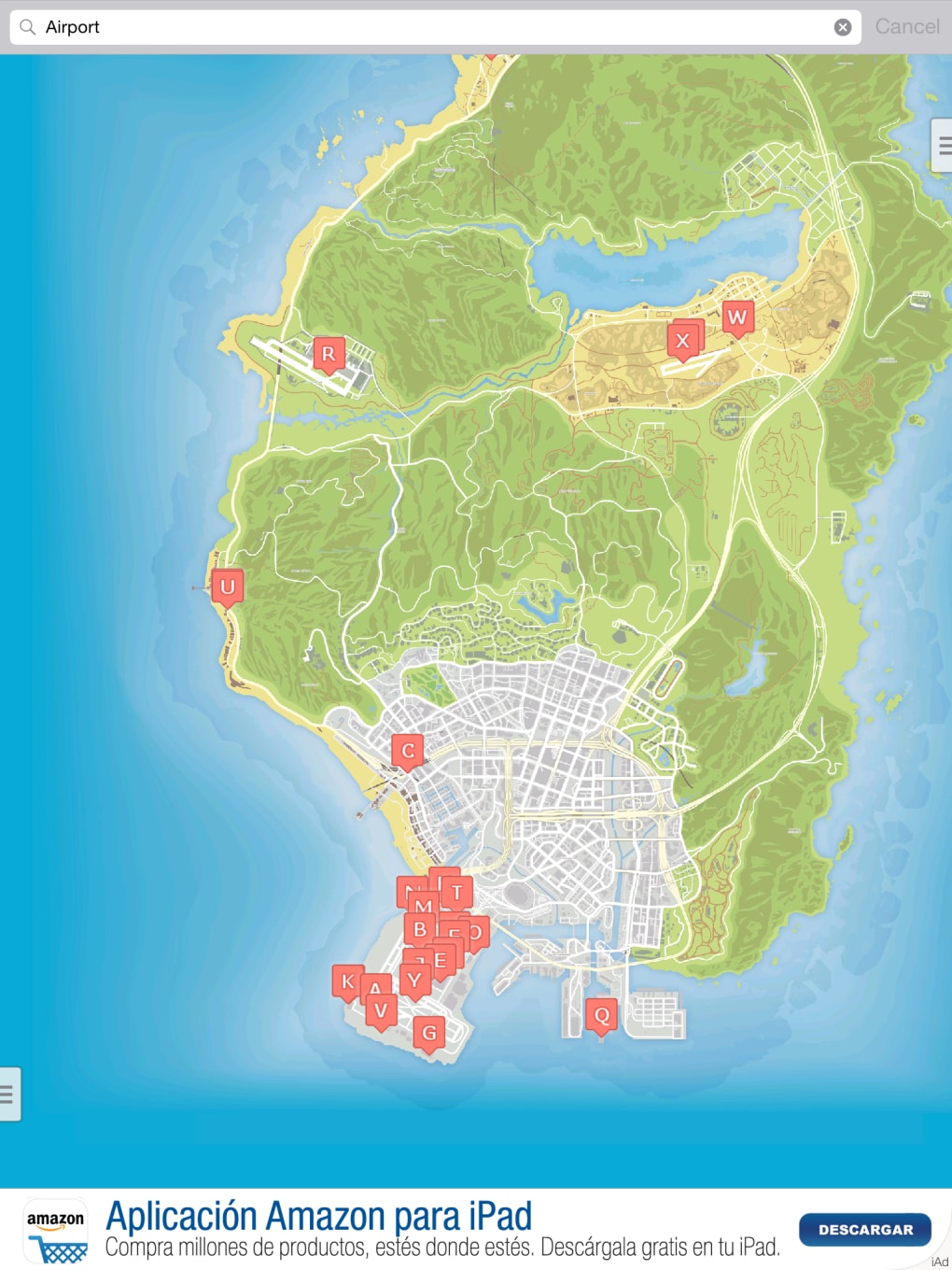
The Interactive Map for GTA V – Unofficial is a desktop companion tool designed to enhance the gameplay experience for players navigating the expansive world of San Andreas. Built as a non-official supplement, it provides detailed visual tracking of in-game locations, collectibles, events, and objects across the game’s vast map. The software caters to both casual players exploring new areas and dedicated completists aiming to achieve 100% completion.
Its core purpose is to reduce the time spent searching for hidden items and side missions by offering a centralized, interactive view of the game world. The tool supports multiple map views, including standard, road-only, satellite, and UV light modes, allowing users to explore the game’s geography from different perspectives. The developer did not provide additional background information.
Real-world usage scenarios include tracking progress during long gameplay sessions, identifying rare collectibles, and planning efficient travel routes. It also enables users to add personal notes, making it a customizable tool for individual playstyles. The app is accessible via desktop and web, with data synced across devices through cloud storage.
Key Features & Capabilities
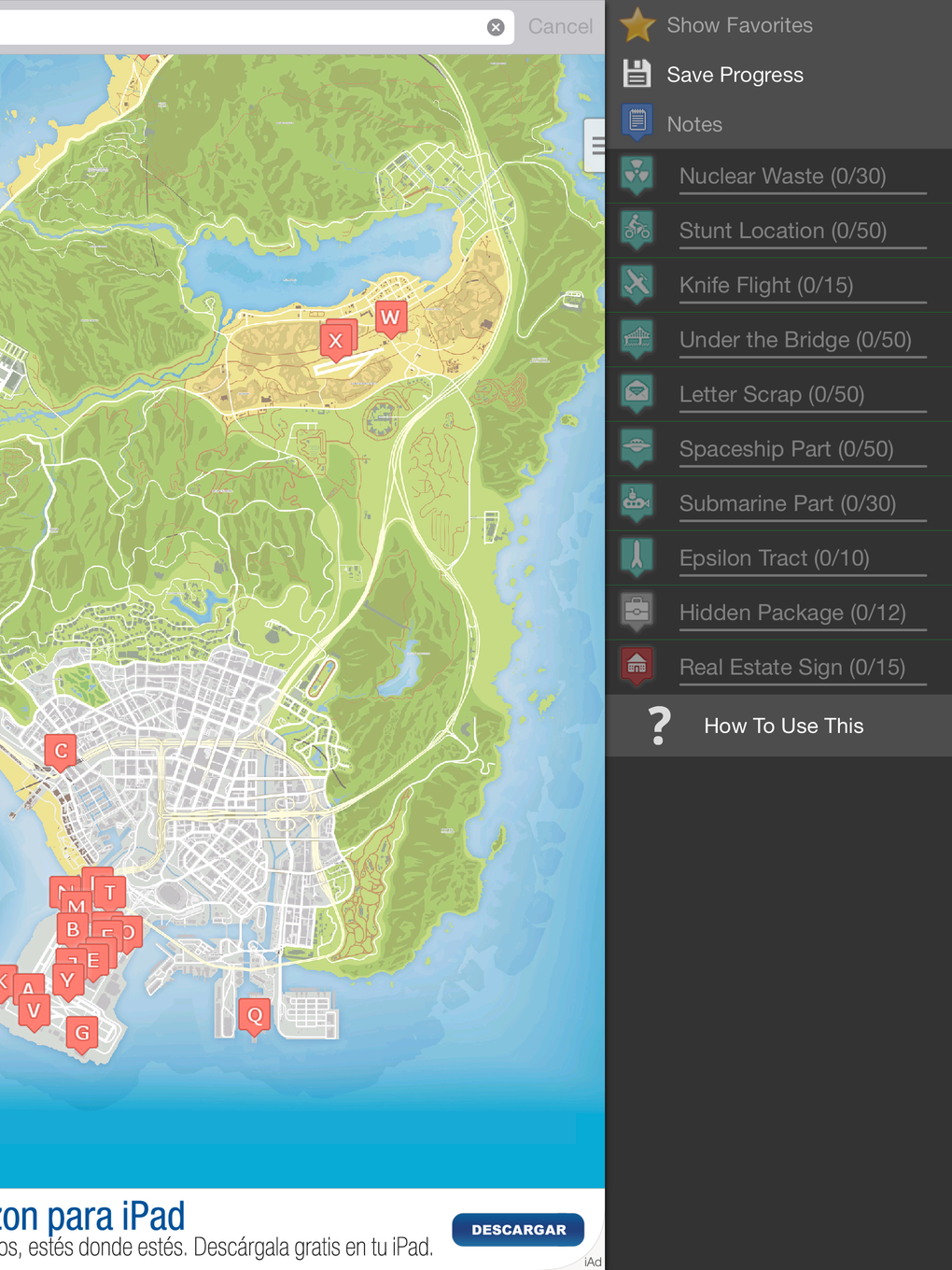
- 50+ Categorized Locations – The software organizes in-game content into 50 distinct categories, including collectibles, missions, hidden objects, and events. Users can toggle these categories on or off to focus on specific goals.
- Progress Tracking – Players can mark items as completed directly on the map, helping maintain a clear overview of their progress toward full game completion.
- Multi-View Map Interface – Offers multiple display modes: standard map, road-only view, satellite imagery, and UV light mode, replicating a feature from special editions of GTA V.
- Cloud Sync & Cross-Device Access – After registering for free, user data—including progress and custom notes—is saved in the cloud, enabling access from any device or web browser.
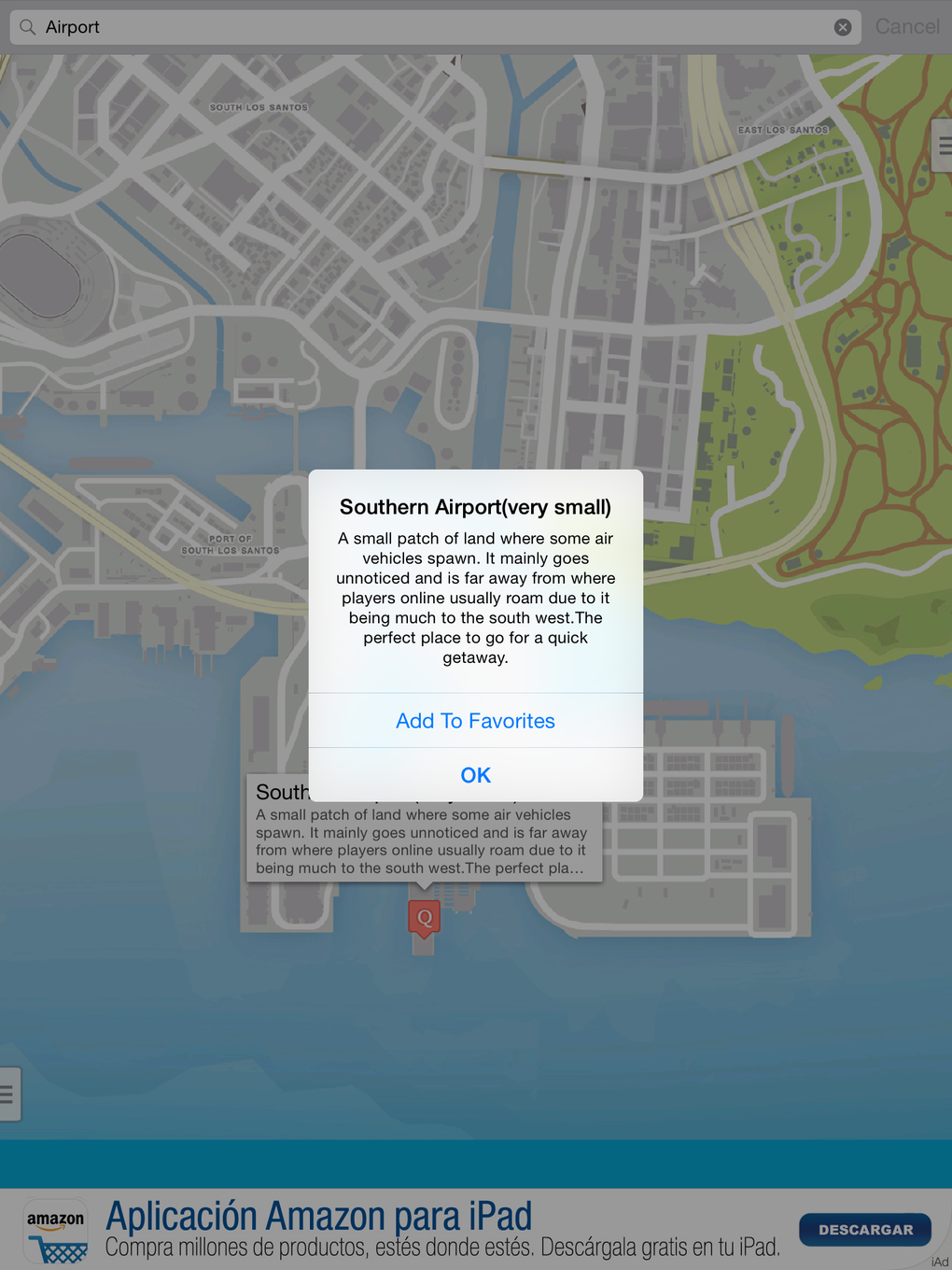
- Custom Notes & Annotations – Users can add personal notes to specific locations, enhancing the tool’s utility for personalized exploration.
- Free Registration & Pro Upgrade – The app is free to use with optional in-app purchase ($0.99) to remove ads, which are described as unobtrusive.
These features allow players to streamline exploration, reduce frustration from missed items, and maintain a structured approach to gameplay. For example, a user aiming to collect all 50 pieces of a rare item can enable only that category, see all locations at once, and check them off as completed. The ability to switch between map views supports different types of discovery—road-only mode for travel planning, UV view for uncovering hidden secrets.
User Interface, Workflow & Performance
The user interface is structured with two side menus, activated via small tabs. The left menu displays all available categories, allowing users to selectively show or hide locations on the map. The right menu lists all collectibles within the selected category, enabling quick access and marking of completed items.
This layout supports efficient workflow, minimizing clutter while maximizing functionality. Navigation is intuitive, with a focus on simplicity and visual clarity. Users can zoom, pan, and switch views with minimal input.
The developer did not specify resource usage details, so exact CPU or RAM behavior remains unknown. Performance observations are based on general software behavior patterns. Stability is not explicitly confirmed, but the absence of reported crashes in the provided description suggests a reliable runtime.
The application appears to be lightweight, given its 50 MB size, and is likely optimized for smooth operation on standard desktop systems. The cloud-based sync mechanism implies background data handling, though details on bandwidth or latency were not provided.
Compatibility & System Requirements
The software is compatible with Windows and Mac operating systems. The current version is 1.0, with a file size of 50 MB. The developer did not provide additional system requirements, such as minimum RAM, processor specifications, or disk space beyond the installation size.
Exact system requirements were not listed. Compatibility information was partially provided. Users should ensure their system meets the general standards for running desktop applications.
The application is designed for desktop use and may not be optimized for touch-based interfaces. No specific hardware dependencies were mentioned.
Pros and Cons
Pros
- Comprehensive tracking of 50+ in-game categories and collectibles
- Cloud sync enables access across devices and web browsers
- Multiple map views, including unique UV light mode
- Free registration with optional Pro upgrade for ad removal
- Intuitive side-menu interface with efficient filtering and marking tools
- Supports personal notes and custom annotations
Cons
- Developer background not disclosed
- No detailed system requirements provided
- Ads present in free version, though described as unobtrusive
- Only available for Windows and Mac, no mobile or Linux support
- Performance data and resource usage not specified
FAQ Section
Is the Interactive Map for GTA V compatible with all versions of the game?
The software is designed for the standard version of GTA V. Compatibility with specific editions, such as the Ultimate Edition or special releases, was not confirmed.
Is the software safe to download and use?
The application is described as a non-official companion tool. It does not require administrator privileges and operates through a web-based interface. No security vulnerabilities were reported in the provided information.
Can I use the app without an internet connection?
While the app requires an internet connection for initial login and cloud synchronization, limited functionality may be available offline. The exact offline capabilities were not specified.
How do I upgrade to the Pro version?
Users can upgrade to the Pro version by completing a one-time purchase of $0.99. This removes ads and unlocks additional features, though specific details were not provided.
Is my progress saved across devices?
Yes, after registering for free, user progress and notes are stored in the cloud. This allows access from any device or web browser with login credentials.
Final Thoughts
The Interactive Map for GTA V – Unofficial stands out as a highly functional and user-friendly companion tool for players immersed in the game’s world. Its ability to track 50+ categories, support multiple map views, and synchronize progress across devices makes it a valuable asset for both casual and completionist players. The inclusion of a UV light mode and the option to add personal notes enhances its appeal beyond basic navigation.
While the lack of detailed system requirements and developer information may raise minor concerns, the app’s lightweight design and cloud-based functionality mitigate many potential issues. The free registration model with a low-cost Pro upgrade offers excellent value. For anyone looking to explore San Andreas with greater efficiency and organization, this tool delivers real-world utility.
Download Interactive Map for GTA V – Unofficial now.







